
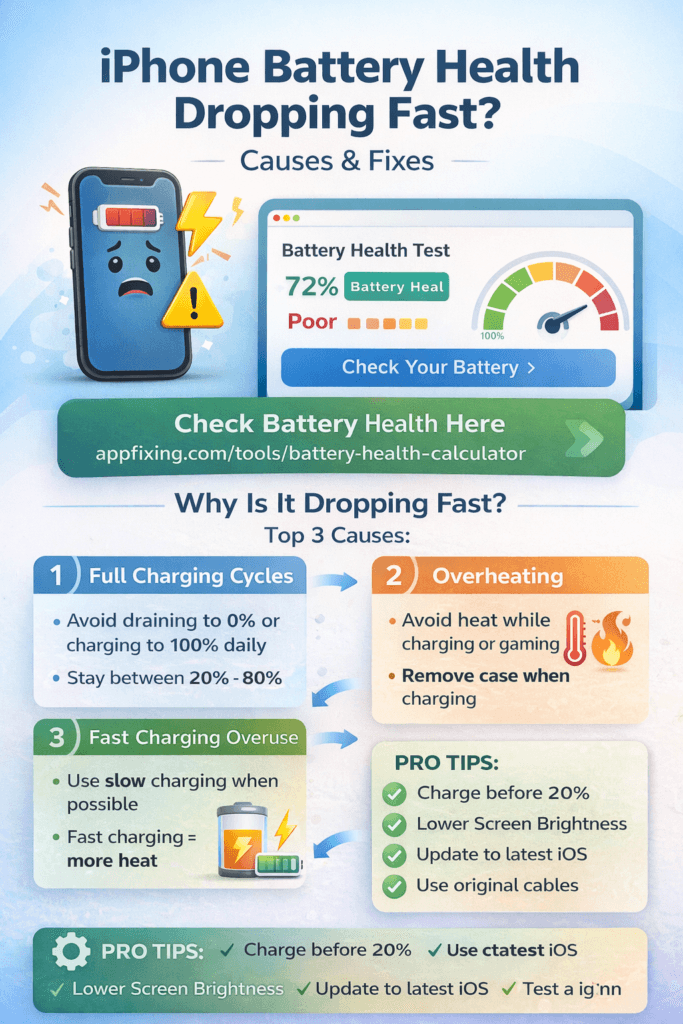
iPhone Battery Health Dropping Quickly? Causes + Fix (2026 Guide)
Is your iPhone battery health dropping from 95% to 88% in just a few months? Normal degradation should be gradual — around 1–2% per month with regular use. If yours is dropping faster, something is actively accelerating the wear on your battery cells.
This guide explains exactly why it happens and what you can do to slow it down — or stop it entirely.
What Is Battery Health and What’s Normal?
Go to Settings → Battery → Battery Health & Charging to see your current percentage. Apple defines a “normal” battery as one that retains at least 80% capacity after 500 full charge cycles.
| Age of iPhone | Expected Battery Health |
|---|---|
| New (0–6 months) | 100% |
| Year 1 | 92–100% |
| Year 2 | 85–92% |
| Year 3+ | 80–85% |
| Below 80% | Battery needs replacement |
If you’re dropping more than 3–4% per month, something is wrong.
5 Causes of Fast Battery Health Degradation
1. Charging to 100% Every Night
Lithium-ion batteries degrade faster when kept at extreme charge levels — both 100% and 0%. The ideal charging range is 20% to 80%. Leaving your phone plugged in at 100% overnight causes “trickle charging” stress that slowly degrades the battery chemistry.
Fix: Enable Optimized Battery Charging in Settings → Battery → Battery Health & Charging. This learns your charging habits and delays charging past 80% until just before you wake up.
2. Heat — The Biggest Enemy
Heat is the single biggest cause of accelerated battery degradation. Temperatures above 35°C (95°F) permanently damage battery cells. Common heat sources include:
- Charging while gaming or using GPS
- Leaving your phone in a hot car
- Using thick cases that trap heat while charging
- Wireless (MagSafe) charging generates more heat than wired
- Direct sunlight exposure
Fix: Remove your case when charging. Never charge while playing games. Keep your phone out of direct sunlight and hot cars. If your iPhone gets hot regularly, see our guide on iPhone overheating while using apps.
3. Fast Charging Too Often
Fast charging is convenient, but the high current it delivers generates heat and stresses battery cells. Using a 20W or higher charger every single day speeds up degradation compared to using a standard 5W charger.
Fix: Use fast charging when you need it, but rely on slower overnight charging for routine top-ups. Apple’s Optimized Battery Charging helps by doing the final 20% charge slowly.
4. Letting Battery Drop to 0% Regularly
Completely draining your battery puts it into a “deep discharge” state that stresses the cells. Each time you go to 0%, you’re using one full charge cycle — and accelerating degradation.
Fix: Charge before you hit 20%. Use Low Power Mode at 30% to stretch it. Never let your phone die completely as a regular habit.
5. Background Apps and Screen-On Time
More charge cycles = more degradation. If your phone is doing heavy work all day (background sync, location tracking, always-on display), you’re going through charge cycles faster — which means more degradation over time.
Fix: Reduce background app refresh (Settings → General → Background App Refresh), limit location access to “While Using,” and lower screen brightness.
How to Protect Battery Health Going Forward
- ✅ Keep Optimized Battery Charging ON at all times
- ✅ Charge between 20%–80% when possible
- ✅ Use wired charging instead of wireless for daily use
- ✅ Remove case when charging in warm environments
- ✅ Avoid using phone while it charges (especially for gaming or GPS)
- ✅ Store iPhone between 50%–80% if not using it for long periods
- ❌ Don’t charge overnight without Optimized Charging enabled
- ❌ Don’t leave phone in hot cars or direct sunlight
When to Replace Your iPhone Battery
Apple recommends replacement when battery health drops below 80%. At this point you’ll likely notice:
- Battery draining in 4–5 hours with normal use
- Sudden percentage drops (e.g., 40% → 10% instantly)
- iPhone shutting down unexpectedly even at 20–30%
- Performance throttling (iOS slows the CPU to protect the battery)
Battery replacement at Apple costs $99 for most iPhone models. Third-party repair shops are cheaper but may use non-genuine cells that show warnings in iOS.
Frequently Asked Questions
Does iOS update affect battery health?
Updates don’t directly damage battery health, but they can temporarily increase battery drain due to background indexing and re-compilation. If your battery is draining fast after an update, see our guide: iPhone Battery Draining Fast After Update.
Can I restore battery health?
No. Battery health degradation is permanent — you can only slow it down, not reverse it. The only way to restore 100% capacity is to replace the battery.
How accurate is the battery health percentage?
Apple’s battery health reading is generally accurate, but it can fluctuate slightly based on temperature and recent charge cycles. Don’t panic over a 1% drop — monitor trends over weeks, not days.